|
|
 |
 |
 |
BUY POINTS |
 |
|
 |
ezPay |
| 1. |
You can pay at 7-11, FamiPort, LifeET, OK, or through WebATM. |
| 2. |
Please select the ammount.
|
| |
|
| |
How to use ezPay |
| Step1. |
*交易金額(Ammount)→ Please enter the ammount you want to purchase. |
| Step2. |
*缴款内容(Content)→ Please enter your username and the points you want to buy. |
| Step3. |
*电话或Email(Phone or email)→ Please enter your phone or email. |
| Step4. |
We will add the points to your account after the payment is confirmed. Normally, it takes 1-3 days. |
|
| |
ezPay「帳單查繳」繳費流程說明 |
- 結帳時選擇7-11 ibon / 全家FamiPort / 萊爾富LifeET / OK超商OKGO 代收支付,網站會產生16個數字的繳款編號,如下範例:
繳款編號:8888 8888 8888 8888 (這是範例,請勿直接用此號碼繳款)
- 請您記錄上列16位繳款編號,到7-11 ibon / 全家FamiPort / 萊爾富LifeET / OK超商OKGO使用繳費機台繳費,請依照畫面指示,列印出繳費單,再持繳費單到櫃檯繳費。
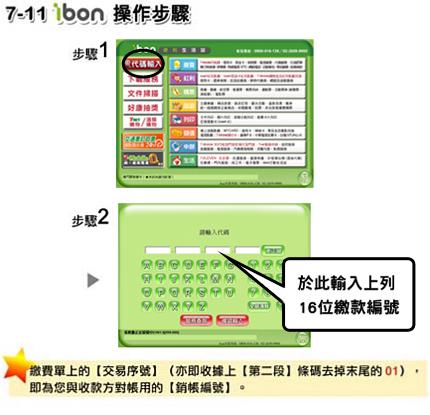
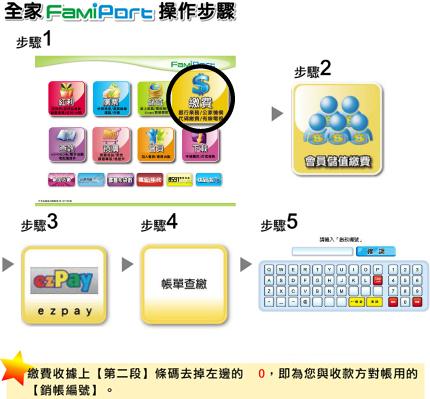
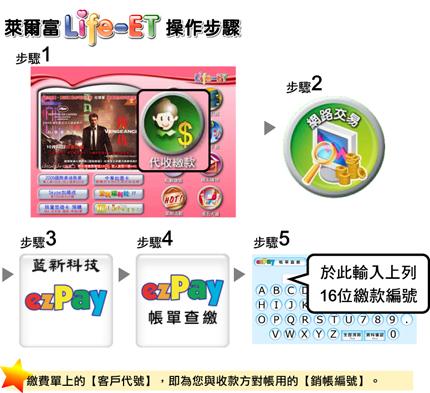
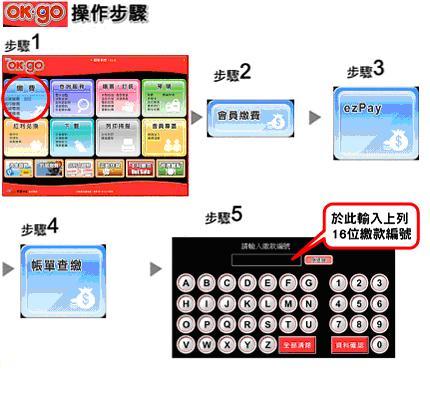
|
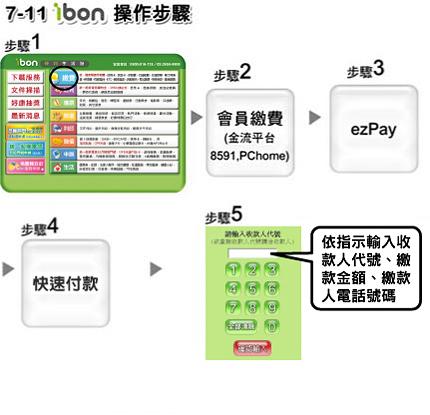
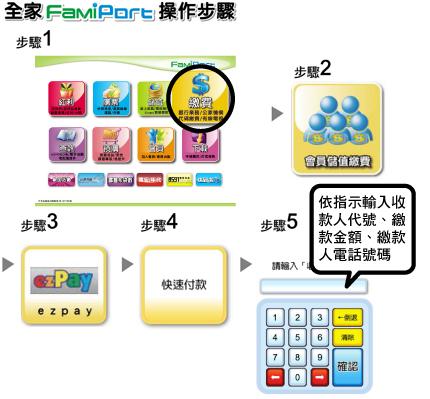
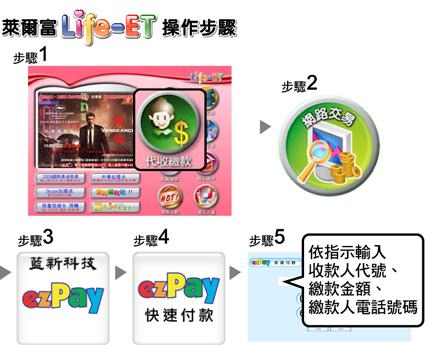
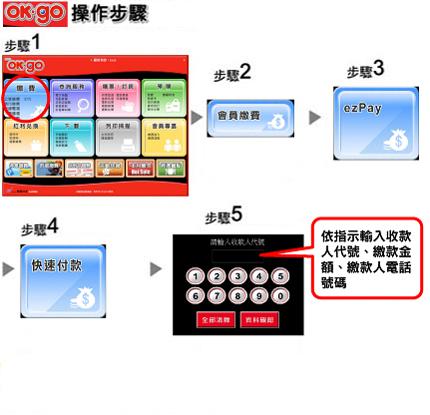
| ezPay「快速付款」繳費流程說明 |
- 我們的「收款人代號」為:027310274(阿拉伯數字的“0”+“統一編號”,共9碼)。
- 請您記錄上列9碼「收款人代號」,到7-11 ibon / 全家FamiPort / 萊爾富LifeET / OK超商OKGO使用繳費機台繳費,請依照畫面指示,列印出繳費單,再持繳費單到櫃檯繳費。
|
|
| |
 |
|
| |
|
|
|